Mobile procurement for construction: ordering from the job site
Field crews identify material needs on location. If they can't order from the job site, you are adding delays.
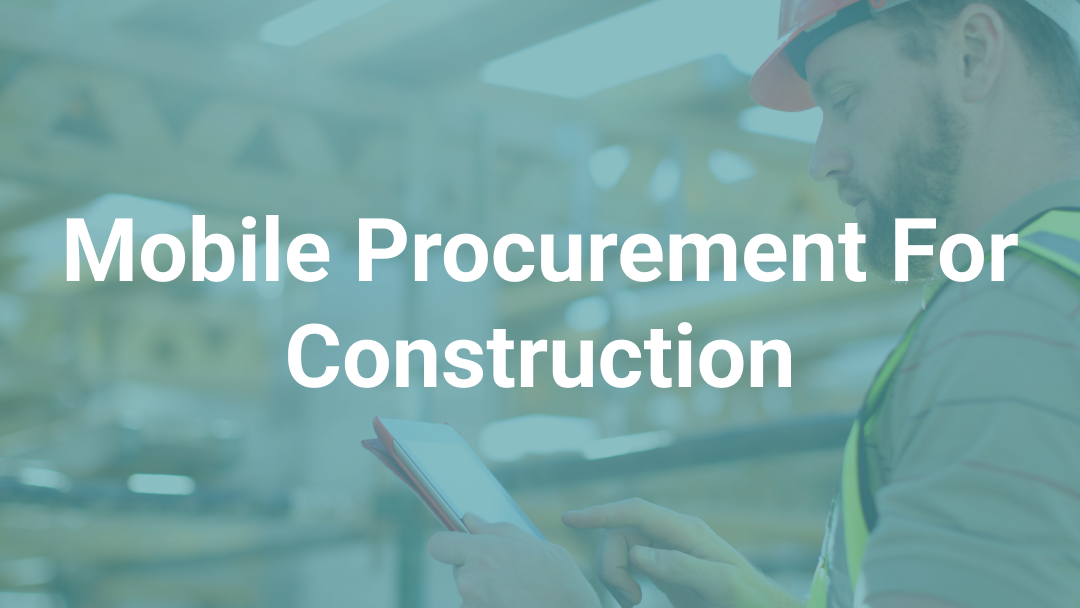
A foreman spots a shortage at 6:30 AM. A crew lead realizes mid-pull that the wrong fittings arrived. A service electrician needs a replacement breaker from a customer's facility. They all share the same problem: the person who knows what's needed is standing on a job site, but the system for ordering it is in an office miles away.
Construction workers spend 35% of their working time on non-productive activities, and a significant portion of that time is spent chasing information, waiting on confirmations, and coordinating material requests through phone calls and text messages. Mobile procurement tools do exist but a gap persists because the tools were designed for offices, not for crews wearing work gloves on a concrete slab with spotty cell coverage.
Why procurement needs to start at the job site
The path a material request takes to get from the field to the office determines how much time and accuracy get lost along the way. The foreman calls or texts purchasing with what they need. Purchasing interprets the request, looks up part numbers, checks pricing, and creates a purchase order. If something is unclear, purchasing calls back for clarification. The foreman may be on a ladder, in a ceiling, or running a crew and misses the call. Hours pass. The callback happens. The order goes out late.
One Remarcable customer put it directly: "It's kind of like playing telephone. There's a translation issue of needing a certain part, if you don't have the exact model numbers, it's hard to remember everything to give to the vendor." That translation layer between field and office is where accuracy breaks down and delays compound.
According to this report, 5.5 hours per week goes to searching for product data alone. With project delivery timelines compressing 10-20%, every material request that adds a day of communication delay is a day the project falls behind. On compressed schedules, there is no slack to absorb it.
The problem gets worse as contractors grow. At a smaller scale, one purchasing agent can field every call and maintain information in their head. When order volumes double and the number of active jobs increase, that institutional knowledge becomes a bottleneck. The purchasing team spends their day translating field requests instead of managing supplier relationships, negotiating pricing, or tracking deliveries.
What mobile procurement software needs to handle on a construction site
A mobile procurement app built for an office worker in a climate-controlled building with reliable Wi-Fi is not the same product as one built for a foreman standing on a roof deck in January.
Spotty and unreliable connectivity. Concrete structures, underground work, rural locations, and high-rise projects all create dead zones. Mobile procurement tools that require a constant and reliable internet connection fail in exactly the environments where they're needed most. The ability to build an order, queue it, and sync when connectivity returns is the minimum requirement for field adoption in construction.
Visual identification over part numbers. Field crews think in terms of what a part looks like and what they call it on the job, not in terms of manufacturer SKUs. A foreman who needs a 3/4-inch compression coupling thinks "that silver fitting" and uses whatever shorthand their crew has developed over the years. Mobile procurement that forces them to navigate a text-based catalog of part numbers will get abandoned in favor of a phone call within the first week. Visual catalogs with images, product specs, and slang mapping that converts field terminology to correct SKUs remove the translation problem at the source.
Approval routing that does not depend on office availability. Material requests from the field need approval, but the approver is not always at their desk. If the approval workflow requires someone to be logged into a desktop application, approvals stall until that person is available. Mobile approval routing means a project manager can review and approve a request from their truck between site visits, and the order moves to the supplier without waiting for anyone to return to the office.
Real-time budget visibility by job. One of the main reasons companies centralize procurement through the office is budget control. If field crews order without visibility into what has already been spent on a job, costs run ahead of the estimate before anyone catches it, eroding margins and creating cash flow problems that surface weeks later during billing. Mobile procurement tools that show real-time committed and spend totals by job, phase code, and cost code give field teams the context they need to make ordering decisions without removing budget oversight from management.
Why field adoption makes or breaks mobile procurement tools
Forty-eight percent of construction firms cite training costs as the biggest barrier to technology adoption. But the real barrier is simpler: is the tool easier to use than calling the office? If it isn't, crews won't use it.
Can a journeyman who has never used the app place a correct order on their first try, from a job site, in under two minutes? If the answer is no, the app goes unused while phone calls and text messages remain the default.
The field workforce spans a wide range of comfort with software. 41% of construction workers are expected to retire by 2031, and only 10% are under 25. A mobile procurement tool has to work for the veteran foreman who still prefers paper as well as the apprentice who grew up with a smartphone. That means large buttons, minimal navigation, visual product selection, and no requirement to know a part number or an internal code to place an order.
One electrical contractor trained 230 job site supervisors on mobile ordering with quick adoption. The key was not the training itself but the fact that field crews found the tool faster than their existing process. When the comparison is "tap an image on my phone" versus "call the office, wait on hold, read back a list, hope it gets written down correctly," the app wins on its own merits.
The stakes go beyond wasted software licenses. With 92% of firms reporting difficulty finding qualified workers, every hour a skilled worker spends chasing material requests is an hour they're not installing. The contractor who gets materials into crews' hands faster gets more installed per labor hour.
How mobile procurement changes the field-to-office workflow
The shift from office-centered procurement to field-initiated ordering changes more than just how orders get placed. It restructures the relationship between field teams, purchasing, and suppliers.
When field teams handle routine material requests directly, the purchasing department’s focus shifts from processing transactions to managing suppliers, negotiating pricing, and resolving exceptions. One contractor went from procurement cycles of two to three hours down to 10 minutes per order after moving field ordering to mobile. Guarantee Electric processes 135 orders in a single day with two purchasers managing $200 million in annual material spend.
Purchasing can actually do their job, which means analyzing supplier performance and negotiating better terms instead of answering phone calls all day.
What to look for when evaluating mobile procurement for construction
Not all mobile procurement apps are built for construction. Here's what to evaluate.
Catalog depth and visual ordering. The catalog needs to cover the materials your crews actually order, with images they can browse visually. Ask how many products the catalog contains, whether images are included for every item, and whether the system handles field terminology (slang, nicknames, shorthand) or requires exact part numbers. What foremen actually need from ordering systems is not a search bar and a text list. It is a visual experience that matches how they identify materials on the job.
Offline and low-connectivity performance. Ask what happens when connectivity drops. Can users build and queue orders offline? Does the app sync automatically when a connection returns? Test this on an actual job site before committing. A demo over conference Wi-Fi tells you nothing about real-world performance.
Supplier integration depth. Mobile ordering is only useful if it connects to your suppliers. Look for direct integrations (EDI, API, or punchout) with the distributors you buy from, not just the ability to export a CSV and email it. The difference determines whether an order placed from the field at 7 AM reaches the supplier at 7:01 AM or sits in a queue until someone in the office processes it manually.
Approval workflows and budget controls. Evaluate whether approvals can happen on mobile devices, whether approval thresholds are configurable by job or dollar amount, and whether field teams see budget data before placing orders. The goal is to move decision-making closer to the field without losing financial oversight.
Accounting system integration. Orders placed from the field still need to flow into job costing, phase codes, and the general ledger. Evaluate whether the mobile tool integrates with your accounting system (Spectrum, Vista, Foundation, Sage, QuickBooks) at the line-item level, or whether someone in the office has to re-enter the data manually. Re-entry defeats the purpose and reintroduces the errors the system was supposed to eliminate.
Service division support. If your company runs a service division alongside project work, evaluate whether the mobile tool supports service-specific workflows. Service electricians ordering parts from a customer's facility or restocking van inventory have different needs than project crews ordering bulk material to a job site. Recurring POs, parts catalogs for maintenance contracts, and the ability to order against service agreements are capabilities that separate construction-specific tools from general procurement apps.
The field ordering experience is the factor that determines whether any procurement transition sticks. A platform like Remarcable was built for this use case: mobile-first ordering with a visual catalog of 500,000+ products, slang mapping, offline capability, and direct integrations with 450+ suppliers and 15 accounting systems.
The contractors who solve field procurement first gain a compounding advantage. Every order that starts in the field, gets approved on mobile, reaches the supplier in minutes, and flows automatically into job costing is one less phone call, one less translation error, and one less delay on a schedule that has no room for slack.
Connected purchasing and material operations for MEP contractors
See how contractors run procurement with Remarcable
Request a demo and we'll walk through exactly how it fits your team's workflow.