What Is Procurement to Accounting Integration and Why It Matters on Every Job
Procurement to accounting integration connects purchasing and ERP systems so job costs update in real time.

Most electrical and mechanical contractors track purchase orders in spreadsheets. Invoices arrive by email, get printed or saved to a folder, and someone in AP manually enters them into the ERP. Job codes get assigned at the end of the process, sometimes by the person who knows the work, sometimes by whoever is processing the invoice that day.
It works. Projects get built. Invoices get paid. But job costs run weeks behind in reality. PMs make decisions based on numbers that were accurate a month ago. Closing month-end turns into reconciliation marathons. And when the one person who knows how to match invoices to jobs takes a vacation or leaves the company, the whole process slows down or comes to a halt.
Procurement to accounting integration solves this by connecting the systems so data flows correctly once instead of being entered twice.
What procurement to accounting integration means for contractors
Procurement to accounting integration means your purchasing system and your accounting system share data automatically. When someone creates a purchase order, that PO shows up in your ERP with the job number, cost code, and line items already attached. When the invoice arrives, it matches against the existing PO. When AP approves the invoice, job costs update immediately.
The key shift is where coding happens. In a manual process, job and cost code assignment often happen at the invoice stage, after the fact, by someone who may not know which phase of which project the materials were for. In an integrated process, coding happens once at the PO by the person who requested the materials, and that coding carries through the entire chain.
The data flow looks like this:
Field request → Purchase order (with job and cost code) → Receipt confirmation → Invoice match → AP approval → Job cost update
Each step builds on the previous one. No re-keying. No interpretation. No phone calls to figure out which job an invoice belongs to.
How PO to ERP integration works
The mechanics vary depending on your systems, but the pattern is consistent across most construction accounting setups.
Step 1: PO created with job coding. A project manager, foreman, or purchasing coordinator creates a purchase order. The PO includes the vendor, line items, quantities, prices, and critically, the job number and cost code for each line. This is where accountability starts.
Step 2: PO syncs to accounting. The PO either lives natively in your ERP or syncs from your procurement tool into the ERP's purchase order module. Either way, the ERP now shows a committed cost against that job and cost code. PMs can see what has been ordered even before invoices arrive.
Step 3: Materials received. When materials arrive at the job site or warehouse, someone confirms receipt against the PO. Quantities received get logged. Partial shipments and backorders are tracked. This receiving step enables three-way matching later.
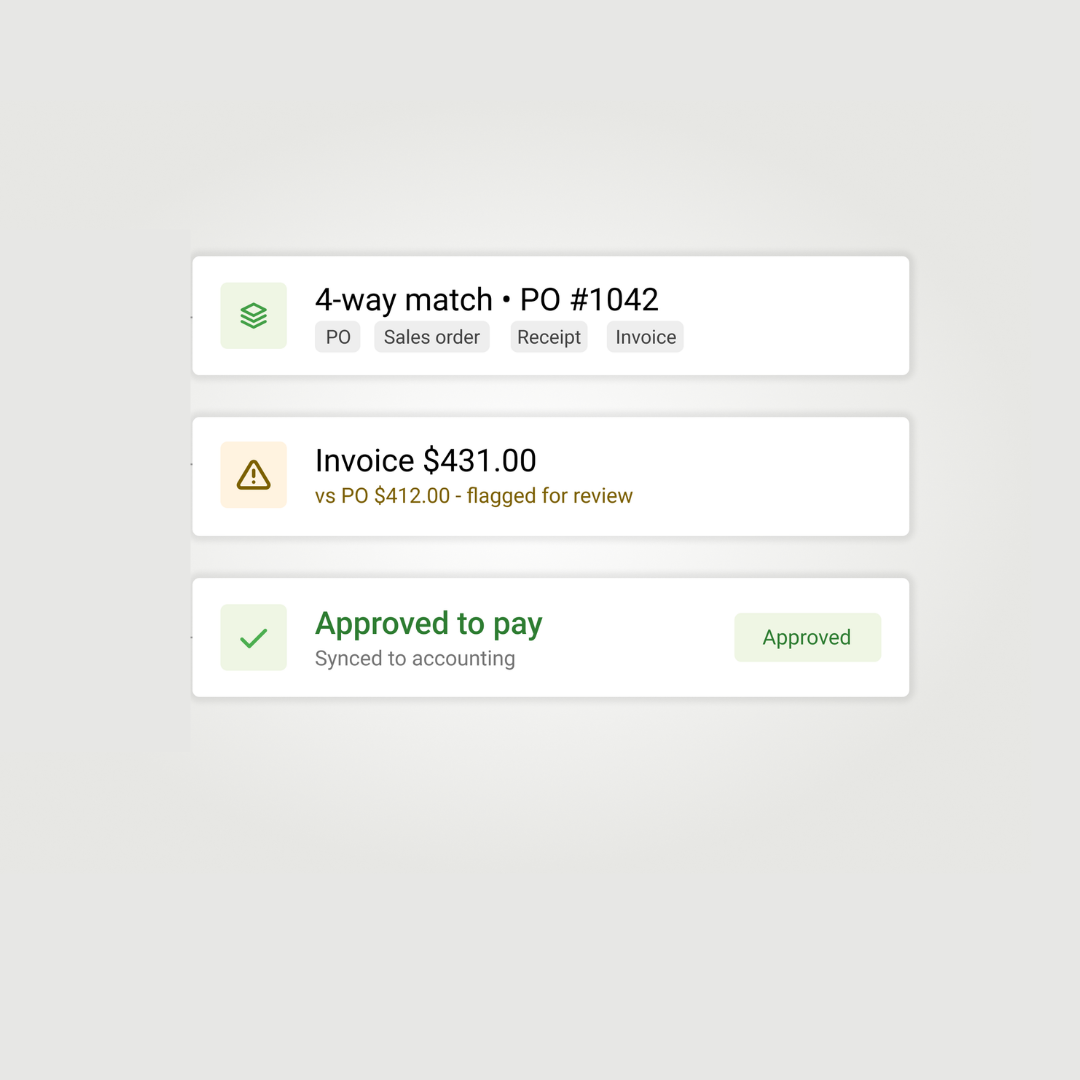
Step 4: Invoice arrives and matches. The vendor invoice comes in. Instead of AP manually entering every line and deciding which job it belongs to, the system matches the invoice against the existing PO. Quantities, prices, and totals are compared. If everything aligns within your tolerances, the invoice is ready for approval.
Step 5: Approval and posting. AP reviews exceptions (price variances, quantity differences, missing POs) and approves the rest. Approved invoices post to the general ledger and job cost simultaneously. The job's actual costs update in real time, not at month-end.
Compare this to the manual process: PO exists in a spreadsheet or email thread; the invoice arrives; AP looks up the job number by searching emails or asking the PM; AP enters every line item into the ERP; and coding errors get caught during month-end review, if they get caught at all. In this scenario, job cost reports reflect reality only after someone reconciles everything.
Committed costs vs actual costs in job costing
One of the biggest benefits of integration is visibility into committed costs, not just actual costs.
Actual costs are what you have already paid or been invoiced for. They show up in your job cost reports after invoices are posted.
Committed costs are what you have obligated to spend but have not yet been invoiced for. Every approved purchase order represents a commitment. So does every subcontract.
When procurement integrates with accounting, POs create committed costs as soon as they are issued. A PM looking at a job cost report sees:
This matters because it changes when you can act. Without committed cost visibility, a PM might think a job has $50,000 of budget remaining, not realizing $40,000 in material orders are already in the pipeline. With integration, they see the true picture before the invoices arrive.
What contractor accounting automation does and does not solve
Integration is not magic. It solves specific problems and requires specific disciplines to work.
Integration does not fix bad data. If your job numbers are inconsistent or your cost code structure is a mess, integration just moves the mess faster. The work of standardizing coding still has to happen.
Integration also does not eliminate judgment. Someone still reviews exceptions. Someone still decides how to handle a price increase or a partial shipment. The difference is that these become exceptions rather than the default workflow.
Signs your procurement and accounting need to connect
Not every contractor needs full integration. A five-person shop with a dozen active jobs might do fine with spreadsheets and careful attention. But certain signals suggest the manual approach is costing more than it saves.
Invoice volume is climbing. Processing each invoice manually costs time. Industry estimates put the cost at $10 to $15 per invoice when you account for data entry, matching, corrections, and approvals. At 200 invoices per month, that is $2,000 to $3,000 in administrative cost, not including any errors.
Job costs are always behind. If PMs regularly make decisions based on job cost reports that are two or three weeks stale, you are managing projects in the rearview mirror. Integration provides real-time visibility.
Month-end close takes too long. When closing the books requires a week of reconciliation, chasing down missing invoices, and correcting miscoded transactions, the process is not sustainable as you grow.
You depend on one person who knows how it all works. If your invoice reconciliation runs on institutional memory, you are exposed. When that person is out sick, on vacation, or leaves the company, the process breaks down.
Growth is outpacing your current process. Adding projects, crews, or locations multiplies the coordination required. What worked at $10 million in revenue becomes a bottleneck at $25 million.
How contractors connect procurement to their ERP
There are three common approaches to integration, each with different tradeoffs.
The right choice depends on your existing tech stack, your team's technical comfort, and how much you want to change current workflows. Many contractors start by better utilizing what they already have, configuring the PO and receiving modules in their ERP before adding new tools and systems.
Connecting procurement to job costing without the re-keying
When purchase orders flow directly into your accounting system with job and cost codes attached, you stop managing job costs from memory. Committed costs appear as soon as orders go out. Invoices match against existing POs instead of requiring manual interpretation. Month-end reconciliation shrinks because the work happened throughout the month.
Remarcable connects procurement to 15 accounting systems, including Viewpoint Spectrum and Vista, Jonas, Foundation, Sage, and QuickBooks. POs sync with full job cost coding. Invoices match against commitments. The data flows once, not twice.
For contractors ready to connect their purchasing to their accounting, Remarcable's purchasing solution handles the integration so your team can focus on building projects instead of reconciling spreadsheets.
Connected purchasing and material operations for MEP contractors
See how contractors run procurement with Remarcable
Request a demo and we'll walk through exactly how it fits your team's workflow.