
Remarcable Live Wire Q3 2026 | Quarterly product highlights
Here's what Remarcable launched at Live Wire Q3 2026, and how each new feature improves your workflow.


Key Takeaways
- Punchout brings credit and company card purchases back inside Remarcable.
- Invoice intake stops depending on a person.
- Preconstruction integrations connect both ends.
- Delivery Management now covers everything heading to the jobsite.
At Live Wire on September 23, 2026 we announced seven new Remarcable enhancements that focus on solving your workflow challenges and improving your speed to invoice.
All of these enhancements started with feedback from our customers. A comment from a field crew. A suggestion from purchasing. A question from accounting. A conversation with the supply desk.
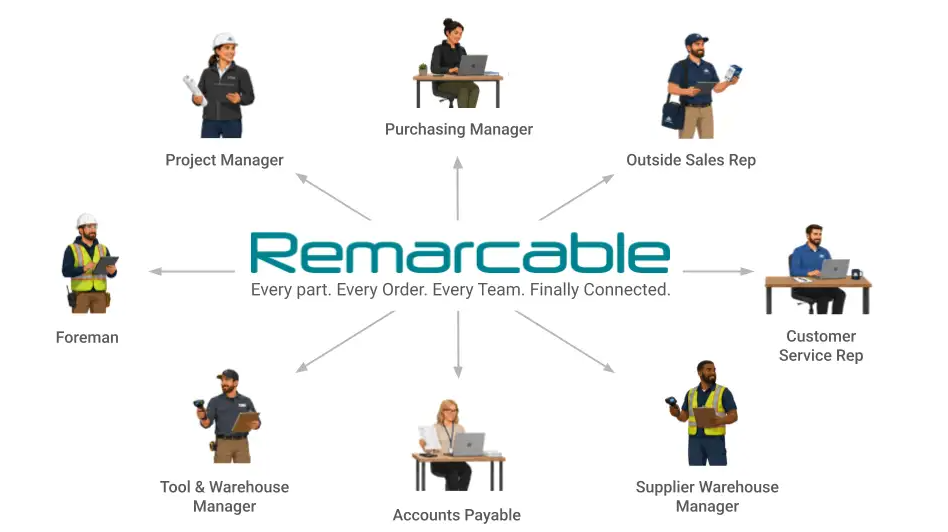
The promise behind all of it: every part, every order, every team, finally connected. One place where material gets requested, priced, ordered, built, shipped, received, and paid for, tied into the software you already run on both sides.
1. Every purchase order and every invoice in one system
Punchout: bring the rest of your spend inside Remarcable
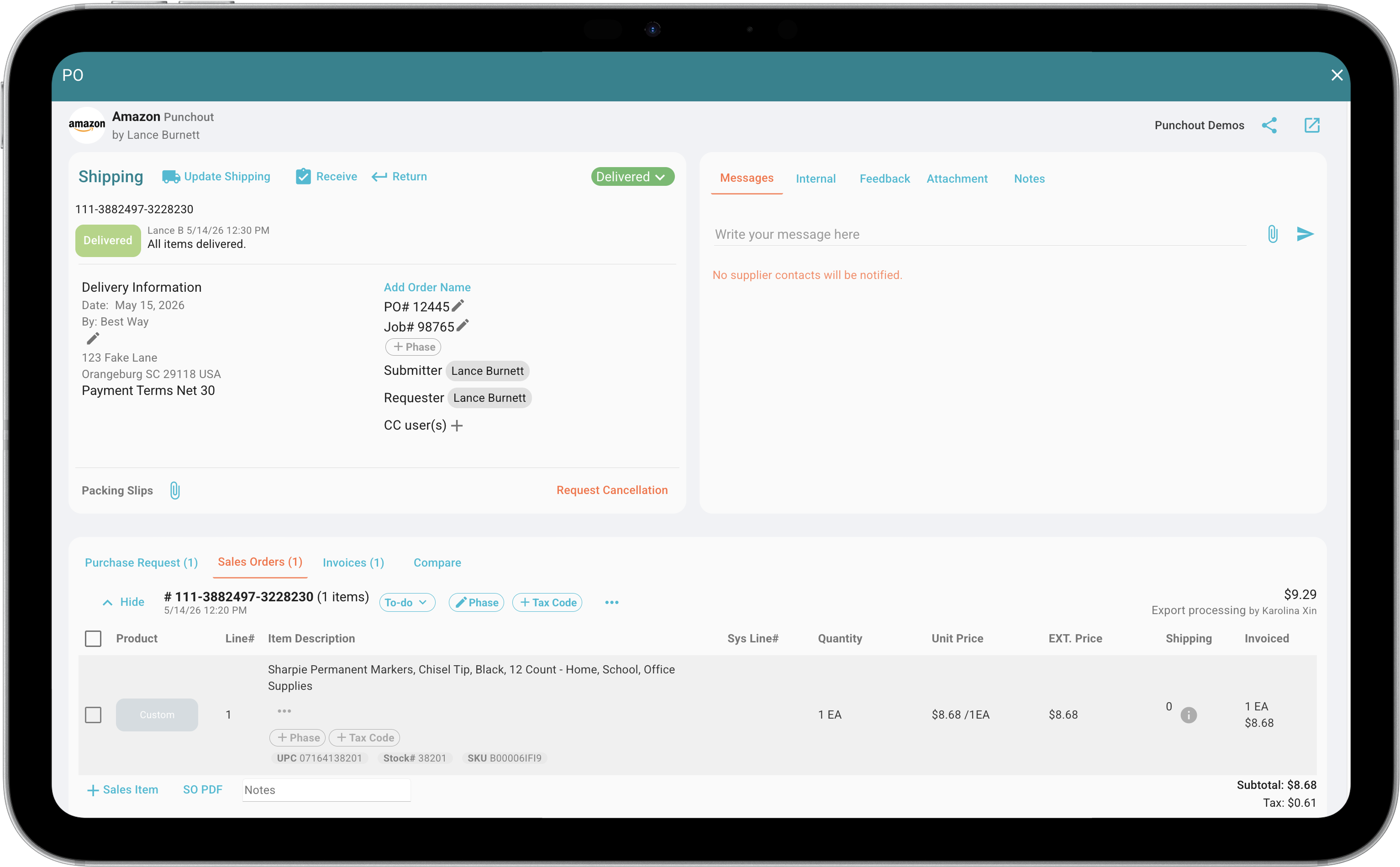
Punchout, a new enhancement of Remarcable Procurement, closes that gap. Your field and purchasing teams shop the supplier sites they already use, including Amazon, Grainger, Hilti, and McMaster-Carr, with ULINE coming soon. The cart comes back into Remarcable as a pending purchase order. Your approval rules apply. Your budget rules apply.
What changes day to day is the back and forth. Purchasing stops acting as middleman on product selection. The person who knows what they need picks it themselves. And AP ends up with an order and an invoice sitting next to every other order and invoice in Remarcable.
Eric Whitebread, Purchasing Agent at Taft Electric, put it this way: "Punchout has made our Amazon purchasing process much more efficient. Instead of sending requests to Purchasing and going back and forth on product selection, our users can choose exactly what they need while keeping the purchase within our established procurement workflow. It has reduced the backlog for Purchasing and made the process easier for everyone."
To get Punchout turned on for your team, click here to let us know you’re interested or reach out to your Customer Success Manager.
2. AP automation that stops depending on someone remembering
Outlook integration: stop forwarding invoices, and stop missing them
When AI OCR launched earlier this year, quotes, sales orders, and invoices from every distributor and specialty supplier started landing in one view. Your AP team could finally compare what a supplier is charging against what you actually ordered.
Getting those documents into Remarcable still meant forwarding an email. And when one didn't get forwarded, you found out weeks later, when a supplier called about payment.
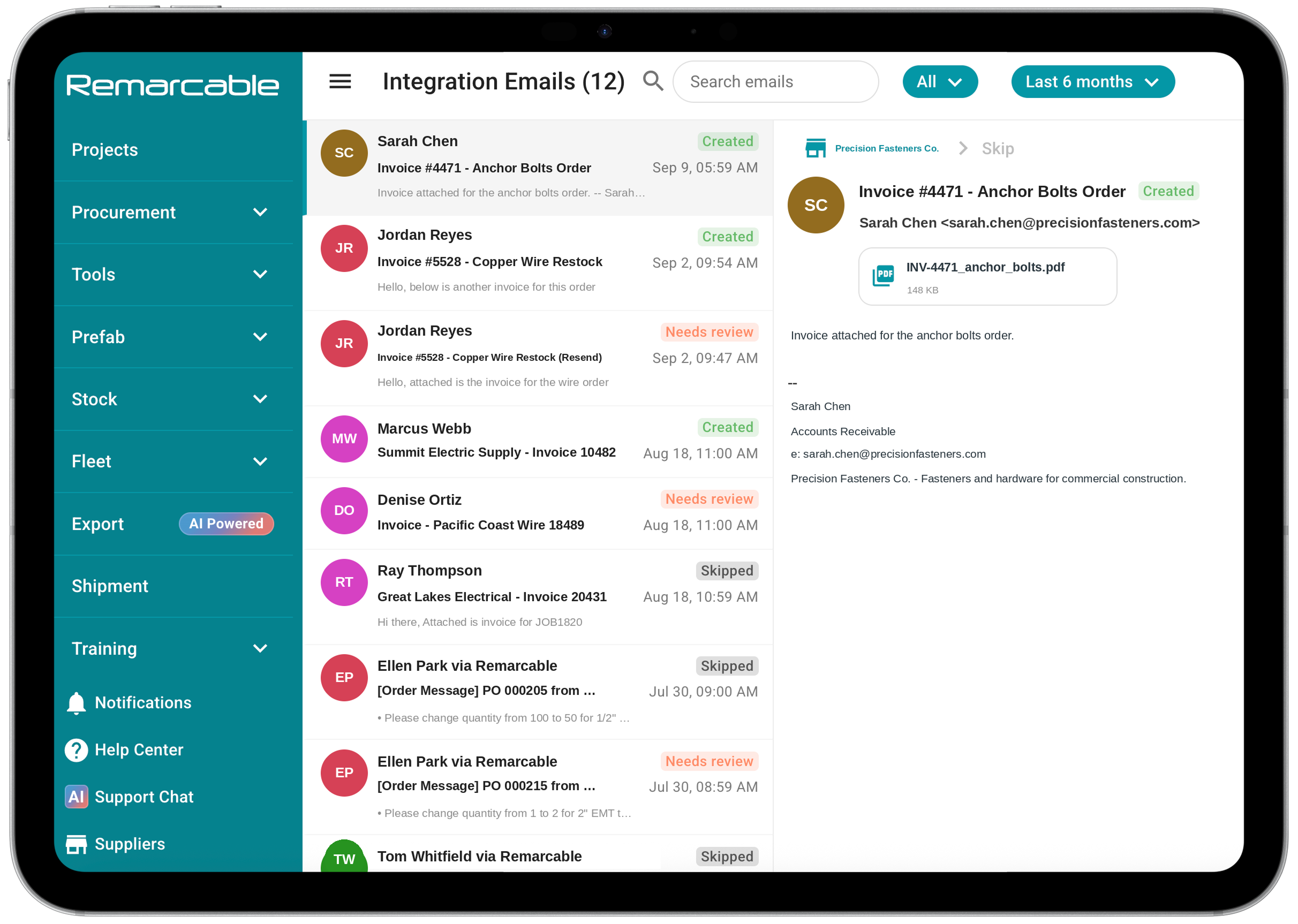
The new Outlook integration ends the forwarding. Remarcable connects to your inbox, read-only and scoped to the folders you authorize, screens what comes in, matches it to a supplier, and moves it into the OCR queue. You see what it caught, what needs a second look, and what it skipped as inbox chatter.
Deanna Stank, Purchasing Coordinator at Mid-City Electric: "Thanks to the Outlook integration, we were able to get credit memos into Remarcable with no stress, instead of battling with suppliers' technical issues."
If your team isn't on Outlook, talk to your Customer Success Manager. We have a path for you too.
Tax-exempt forms by job and supplier
Tax exemption doesn't work at the company level. It works job by job. The school district project is exempt. The hospital across town isn't. And on the exempt job, every supplier you buy from needs the right certificate on file before the first PO goes out.
Handled by hand, that breaks at the invoice. Tax shows up on an exempt job, AP catches it three weeks later, and somebody spends a morning chasing a credit memo that shouldn't have been necessary. Or the exemption gets applied where it doesn't belong, and you hear about that one from an auditor.
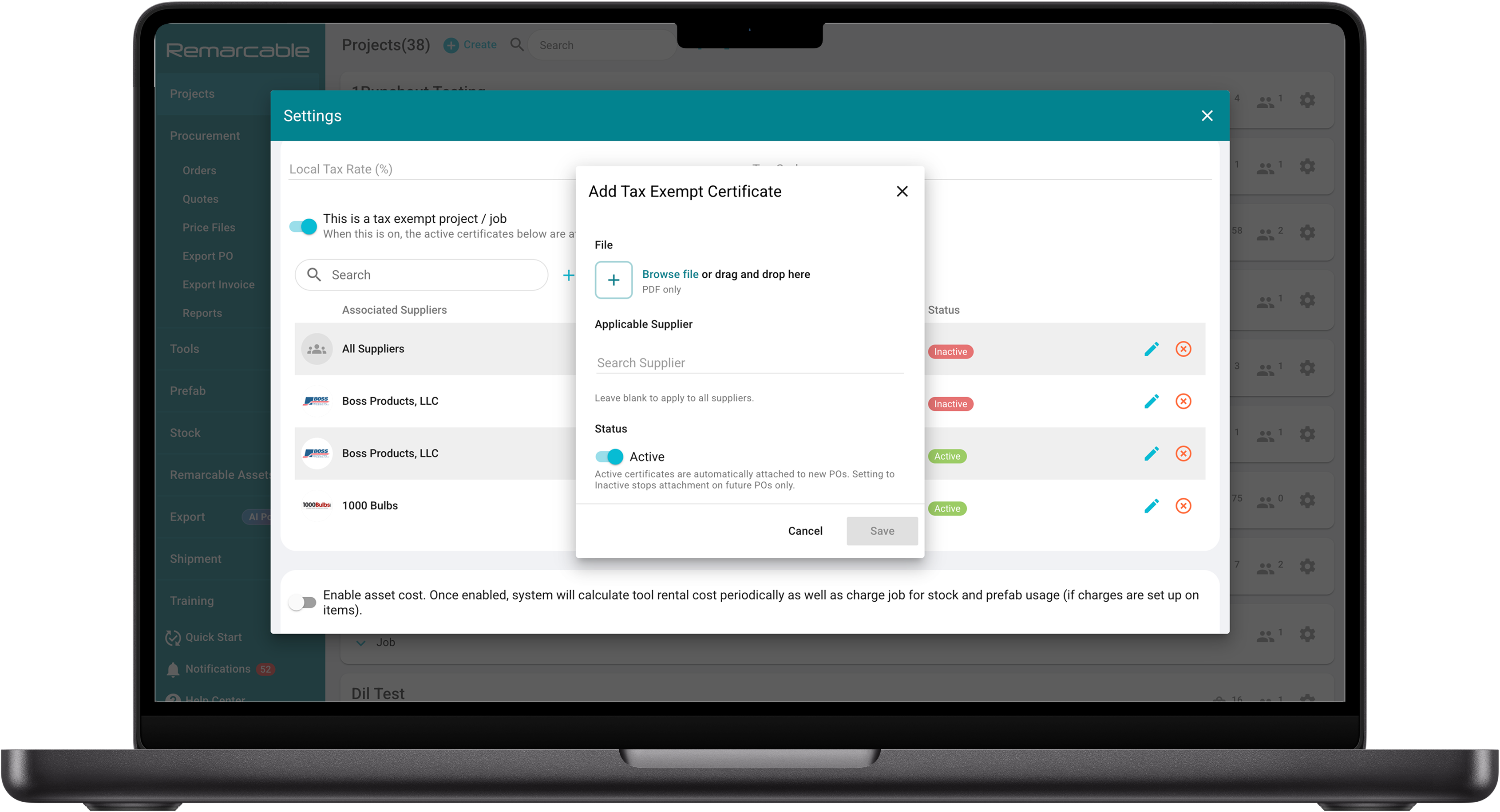
You can now assign multiple tax-exempt forms to a single project, each one tied to a specific supplier. Send the PO and the right form attaches itself. Nobody has to remember which certificate goes with which vendor.
And your supplier sees their form and nothing else.
3. Connecting the preconstruction systems you already use
Remarcable Material Pricing integration with McCormick
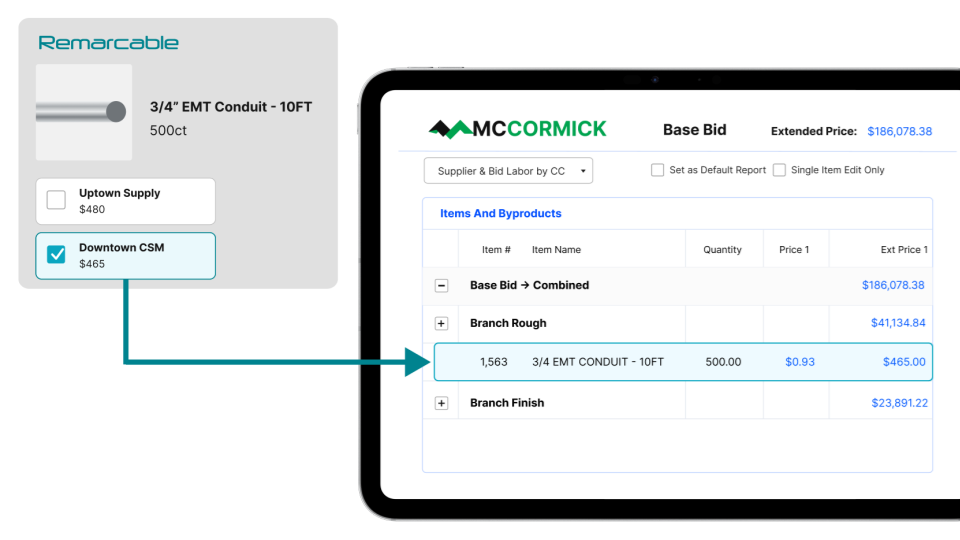
Estimators have been building workarounds for stale pricing for years, because the alternative is bidding on numbers you can't stand behind. Margin gets protected by hand, with heavy reliance on years of experience.
We've partnered with McCormick in the release of Remarcable Material Pricing. You can now pull live material pricing from Remarcable straight into your McCormick estimate. There are two ways to connect it:
- Live average pricing. Remarcable updates your average costs every time a new price file comes in, so your available pricing refreshes daily.
- Supplier-specific pricing. Your job-specific SPAs flow from the distributor straight into the estimate. Connect multiple suppliers and compare real pricing side by side.
If you use Remarcable Procurement, this pricing integration is included at no additional cost.
Fewer exports, no extra steps. Just more dependable bids.
EVOLVE MEP integration: your BOM straight out of the model
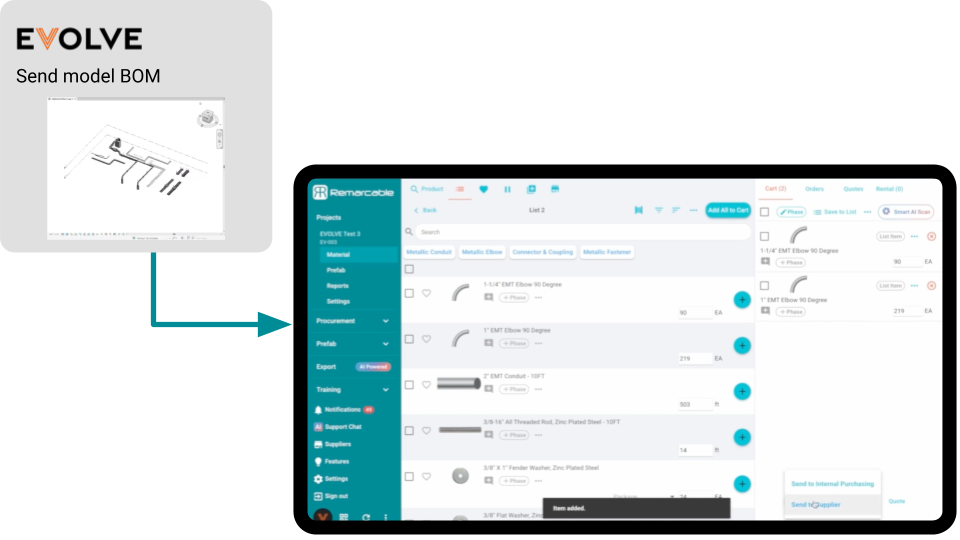
Your preconstruction stack is strong on both ends. BOM tells you what to build. Accounting tracks what it costs. The middle is where it falls apart: a BOM in a spreadsheet, hundreds of emails, and a foreman chasing a delivery. When the wrong material lands on a Friday, that middle gets expensive.
We're pulling bills of materials directly out of your modeling software and into Remarcable. Your preconstruction team takes the assemblies they detail in EVOLVE and sends them into the purchasing workflow, mapped to the right fields, with no hand-keying and no separate BoM export. From there the material behaves like anything else on the project.
If you’d like to get this setup, click this link or talk to your Customer Success Manager.
And if you're not an EVOLVE shop, a native Revit to Remarcable integration is in development. That pilot is open for early access now. Click here to let us know you’re interested.
4. Improve visibility and accountability on deliveries
Map View with GPS tagging for tracking deliveries
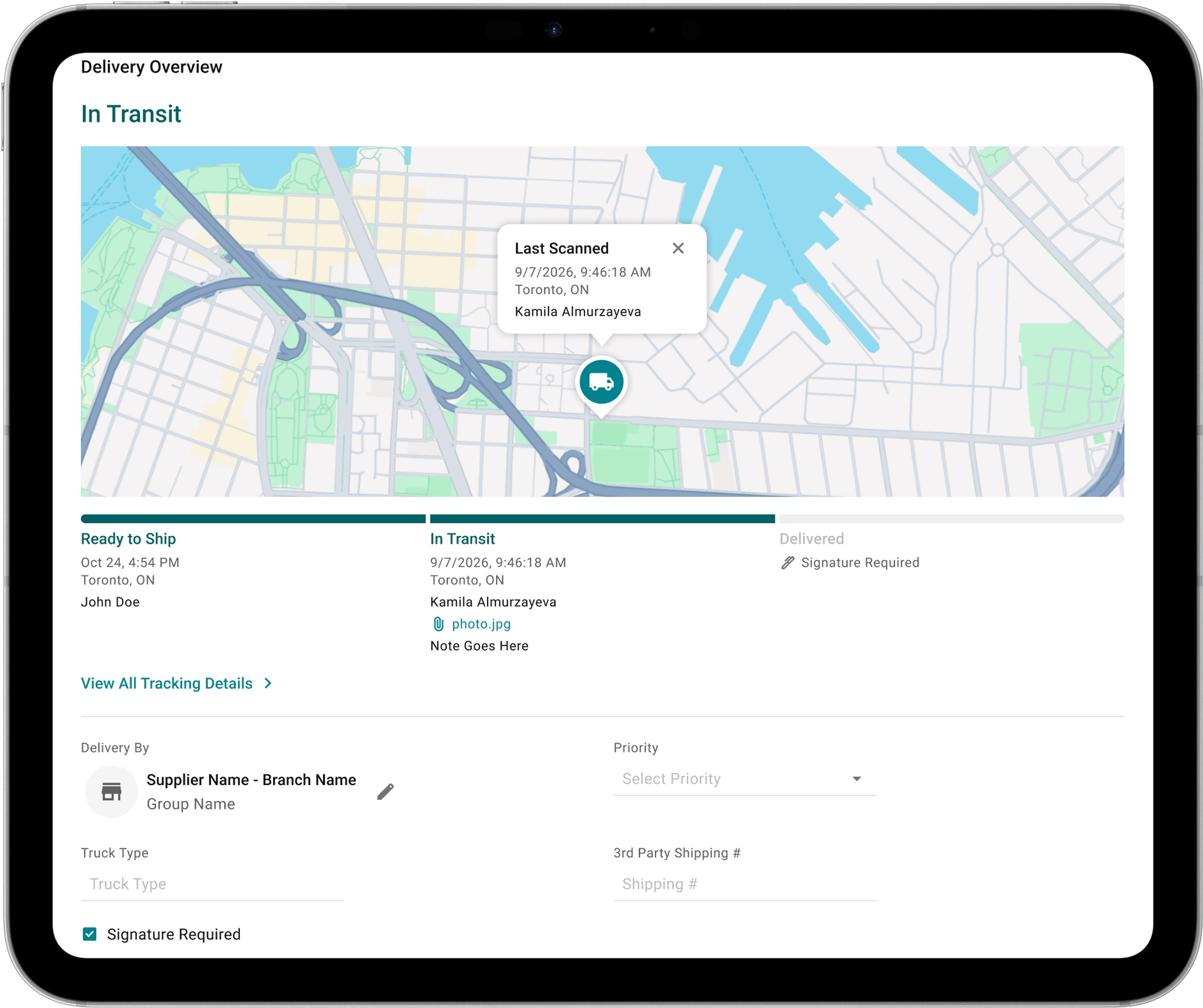
Once material assemblies are fabricated, they have to reach the jobsite, and you have to be able to prove they got there. Delivery Management now tags exact shipment coordinates by GPS, so where a delivery was dropped is a fact on a map, not a recollection. Paired with the list and weekly calendar views, your office and field teams are looking at the same shipment information.
Create shipment requests for any item going to a jobsite
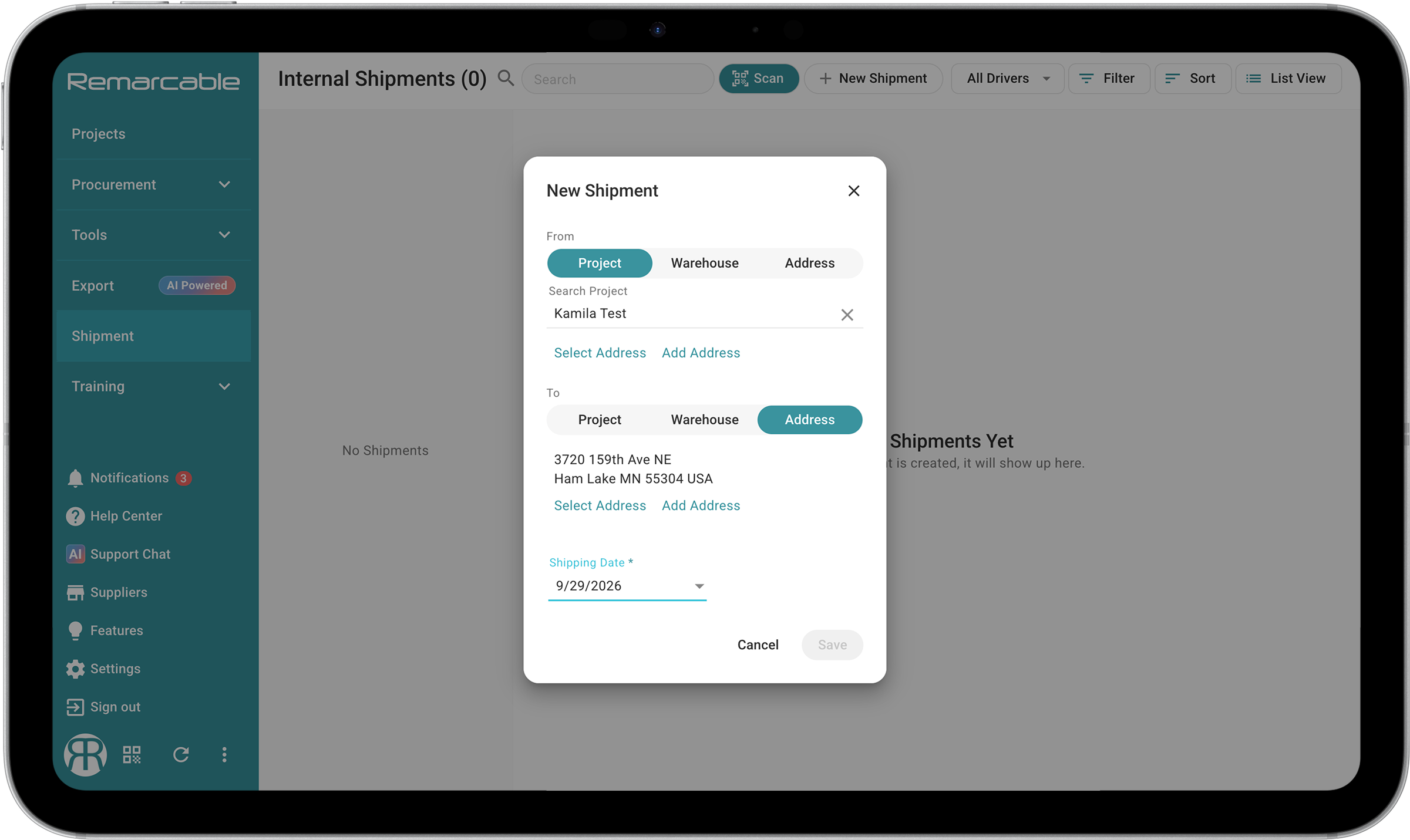
Until now, Delivery Management tracked what started in Remarcable. A material request, an inventory pull, a PO. Anything else heading to the job went back to text messages and a phone call.
You can now create an independent shipment request for anything, whether or not it lives in Remarcable inventory. Materials, tools, prefab assemblies. Same form, same statuses, same proof at the other end.
So if you run purchasing in Remarcable and handle prefab or tool tracking somewhere else, every delivery still lands on one schedule. One place to look, and the same answer for everybody who asks.
Built for the way your teams actually work
Whether you run electrical, plumbing, or mechanical projects, or supply the contractors who do, Remarcable is built for the way your teams actually work. In the field, in the office, and in the warehouse. Every part. Every order. Every team. Finally connected.
If you’d like more information about these new updates, reach out to your Customer Success Manager, or contact sales.
Connected purchasing and material operations for MEP contractors
See how contractors run procurement with Remarcable
Request a demo and we'll walk through exactly how it fits your team's workflow.
.png)
.png)
.png)